
External PenTest Practice
My home lab is a dedicated virtual environment designed for penetration testing practice, malware analysis, and learning network security concepts. This setup allows me to safely exploit vulnerable systems and analyze network traffic in a completely isolated environment.
Virtual Network Architecture
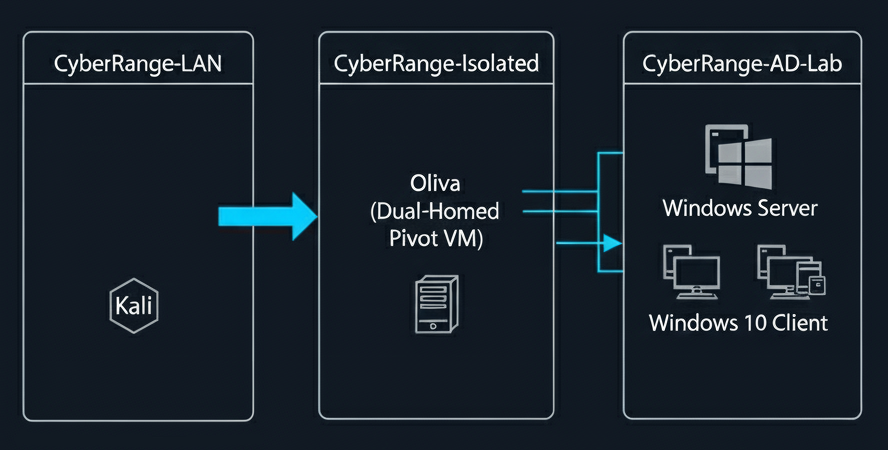
Using VirtualBox's Internal Network feature, I've created a segmented network managed by a pfSense virtual router. This configuration isolates the vulnerable machines from my home network and the internet, while still allowing my Kali Linux attacker machine controlled access for realistic penetration testing scenarios.
Core Infrastructure
Hardware
The lab runs on an HP 15-ef2030ca Notebook powered by an AMD Ryzen 7 5700U processor. I upgraded the system to 64GB of G.Skill Ripjaws RAM to efficiently run multiple virtual machines simultaneously. The host OS is Windows 11 Home.
Software
Oracle VirtualBox is used for all virtualization, allowing me to run multiple operating systems and applications in isolated environments.
Virtual Machines
Kali Linux
pfSense Virtual Router
Windows Server 2019 (Domain Controller)
Windows 10 Client x 2
Oliva